Standalone Vector Selector
Version 0.1
Set the quota to start selecting vectors!
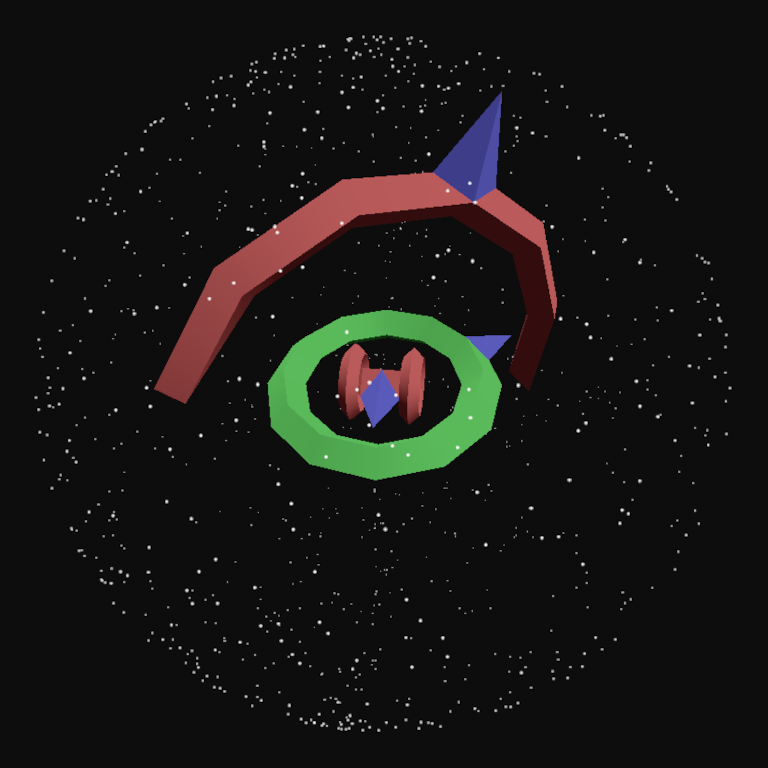
They are represented with dots, for convenience.
Otherwise they would be invisible.
Controls:
Use the mouse to interact with the top-left menu.
Rotate the camera around the Vector Selector model (pitch and yaw) with the Arrow Keys or I, J, K, and L.
Roll the camera with Q and E
Zoom in and out with W and A.
The F11 key toggles fullscreen mode.
The Escape key pauses the simulation, as a temporary holdover from the project I initially ripped this from. Do we really need pause functionality for a Vector Selector? I think not.
Pausing also exits fullscreen mode, for if you forget the F11 button after using it to enter fullscreen.
(the Vector Selector can be hypnotizing, I know!)
Setting the quota:
In the top-left menu, there is a box where you can input a number (click and type).
This input box itself is not the quota; it rather defines the "quota modifier".
Pressing the "Add" button increases the quota by the by the current quota modifier.
Likewise, the "Remove" button reduces the quota by the current modifier.
When the quota is reduced, some or all placed dots may be removed to match the new quota.
Density paint:
You can apply a "density paint" to the placed dots, which colors each of them based on average distance to other dots.
The colors for density paint can be modified with the color buttons under the "Low" and "High" labels, but changes to dot color only apply when the "Apply" button is pressed.
BE WARNED: Applying density paint may cause lag with large amounts of dots. The distance calculations required for evaluating dot density increase exponentially as dots are added.
The "Reset" button, as its name suggests, removes density paint, making all dots plain white again.
Resetting density paint is not a particular lag hazard regardless of dot count, since it doesn't need to calculate any distances.
Planned features:
[I shall populate a list of planned features here later]
Development log
- Tau Day Update is Cancelled33 days ago
- Happy Pi Day! Announcing the Standalone Vector Selector (v0.1)Mar 14, 2026
Leave a comment
Log in with itch.io to leave a comment.